


Call.com: 2nd Phone Number App
4.398.00 Reviews
App Specs
- Version
- 2.7.9
- Updated On
- License
- Free
- Downloads
- 1,000,000+
- Developer
- Call.com
- Categories
- Communication
- Platform
- Android
Screenshots
 Analysis by AppCompare
For some people, a phone number is also a public-facing contact detail: it goes on a marketplace listing, a résumé, a booking form, or a business card. I like the idea of keeping that traffic separate from calls meant for family and friends, but carrying another handset is an awkward fix. A second-number app offers a lighter option, and the key question is whether its extra line is easy to notice, manage, and rely on when life gets busy.
Clear enough for quick checks, not a replacement for careful setup
Call.com is a communication app from Call.com, and its central idea is simple: manage another number for calls, texts, and video from the phone you already use. Its 4.6 average from around 2.4 thousand ratings and more than 500 thousand installs suggest that many people find the proposition useful. I would still judge it by how well it fits my routine rather than treating popularity as proof that it suits everyone.
Readability matters especially in a second-line app because the whole point is to tell one kind of contact from another at a glance. I would set up the number only when I have a moment to pay attention, then make a test call or text with someone I trust before sharing it widely. That small check helps me learn where the app puts its call and message controls, and whether its notifications are easy for me to distinguish from those of my ordinary line.
For someone who prefers fewer steps, the benefit is having the extra contact channel on one device instead of switching between two phones. The trade-off is that the extra line lives inside an app, so I need to remember to check that app and understand its notification behavior. If I routinely miss alerts or prefer every call to arrive through the phone’s standard dialer, I would compare this setup with a carrier-provided second line before relying on it for time-sensitive work.
Using the second line in everyday life
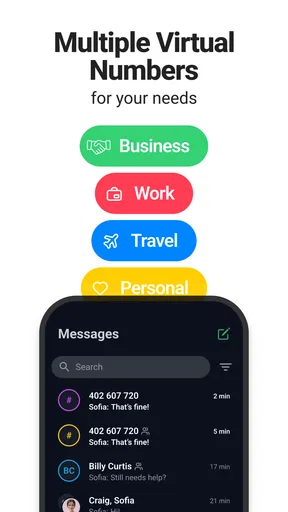
I use a second line most carefully when I decide in advance what belongs there: for example, marketplace questions can stay separate from family messages, while urgent personal calls remain on my usual number. That simple boundary makes it easier to check the right conversations without treating every notification as equally important. The next section looks at how those habits intersect with different ways of using a phone.
Useful boundaries for work, travel, and one-off contacts
I can see the app being most helpful when a number needs to be shared for a particular purpose but does not need to become my permanent public contact. A freelancer could use it for client inquiries, while someone arranging a local service appointment could keep the conversation away from their main number. For travel, a virtual number may be useful as a separate contact point, though I would check that it meets the needs of the people and services I plan to reach before depending on it abroad.
A realistic routine might be posting an item for sale on a local marketplace. I could use the second line for questions about pickup, keep the conversation in one place, and stop giving out my everyday number to people I have not met. Once the sale is complete, I can decide whether that extra channel still belongs in my routine. The practical advantage is not anonymity or a guarantee of privacy; it is having a clearer boundary around which number I share.
Worth Reading Before You Choose

EA SPORTS FC Mobile 26 Is a Bigger Football Game, but It Takes Time

Flipboard Shows What News Apps Must Do Beyond the Feed

Switching to Android Auto Means Rethinking Your Driving Routine

Google Calendar Makes a Crowded Week Easier to Manage

Ludo King Makes the Most of the Minutes Between Plans

Baby Panda World Brings Quick Play to Modern Phones, but Its Game Library Feels Busy
Accessibility is partly about the surrounding routine
People use phones in very different ways, and a second line can either simplify or complicate that experience. Keeping calls and texts on one device may be easier than handling two handsets, particularly when there is limited space in a bag or only one phone is regularly charged. At the same time, a user who depends on a specific system-level call workflow, accessibility setting, or assistive technology should test the app with that setup before making it their main contact route.
Motor and sensory needs also change what “easy to use” means. A person who finds repeated app switching tiring may appreciate having another number in the same place as their usual phone. Someone who relies on distinct sounds, visual alerts, or a particular way of answering calls should check whether the app’s behavior works for them in real conditions, such as a noisy room or a phone set to silent. I would not assume a second number automatically makes communication more accessible; the right choice depends on how the app fits the individual’s established phone habits.
When comparing alternatives, I would separate the decision into two questions: do I need another number, and where should that number live? A carrier’s second line may feel more integrated with ordinary phone use, while another handset creates a stronger physical separation but costs more effort to carry and maintain. Call.com sits between those options: one device, with the additional line handled through an app. That is a sensible middle ground for casual business or temporary contacts, but not necessarily for someone who needs a line to behave exactly like their primary mobile service.
Costs, expectations, and the situations where I would hesitate
The app is free to download, with in-app purchases ranging from $1.49 to $49.99 per item. I would check the available purchase details in the app before choosing a number or building a long-term workflow around it. A free download does not mean every use is free, and the right choice depends on how often I expect to call, text, or use video. For someone who only needs a number briefly, I would compare the likely total cost with a prepaid or carrier option rather than deciding from the download price alone.
I would also be cautious about using any secondary-number app as the sole route for urgent or essential contact before testing it. Internet-based communication depends on having a workable connection, and an app-based line is not the same thing as a second physical SIM or a dedicated handset. If a job requires dependable reachability at all times, or if a service insists on a particular kind of phone number, I would verify that the arrangement works for that specific purpose first.
The age rating is Everyone, which makes the app broadly suitable in that respect, but the label does not answer practical questions about personal privacy, shared devices, or who can see notifications. If I share a phone with someone else, I would think through lock-screen previews and account access before using a second number for sensitive conversations. The useful boundary comes from how I manage the device as well as from having a separate number.
Version 2.3.3 is the current version, and the app was released on March 23, 2023. I would keep it updated through the usual app-store process and revisit its settings if my needs change, especially when I move from occasional messages to regular client calls. The app’s basic appeal is straightforward, but a dependable routine still takes a little setup: choose what the number is for, test how incoming contact appears, and decide when you will check it.
There are also situations where I would skip this approach. If I want a second number to be completely separate from my personal phone, a separate handset may be more comfortable. If I need a line tightly integrated with my carrier service, I would look at carrier options. And if managing another inbox would add stress rather than reduce it, the extra number may create more work than it solves. A second line is useful only when the boundary it creates is worth the attention it asks for.
For me, the strongest use case is controlled sharing: giving clients, buyers, or temporary contacts a number that is not my everyday one, without carrying another device. I would recommend Call.com: 2nd Phone Number App to someone who wants that kind of practical separation and is comfortable checking a communication app regularly. I would not recommend relying on it blindly for critical calls or assuming it will match every user’s preferred accessibility setup. It is a convenient option when its app-based nature fits the job, and a less compelling one when seamless, always-on integration matters more.
Getting Started with Call.com
First off, downloading and setting up the app was a breeze. Available on both Android and iOS, the app's interface is clean and straightforward. Once you've got it on your device, setting up a second phone number is as easy as pie. All you need is an internet connection, and you're good to go.
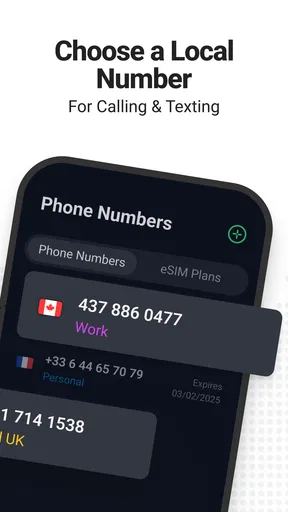
After launching the app, I was prompted to choose a number. The variety was impressive, with options available from different area codes, which is perfect if you're looking to appear local in another region. The app gives you a free trial to test the waters, which is a nice touch before committing to any subscription.
Features Galore
What really stands out about the Call.com app is its plethora of features. This isn't just about having a second number; it's packed with extras that make it a versatile tool for both personal and professional use.
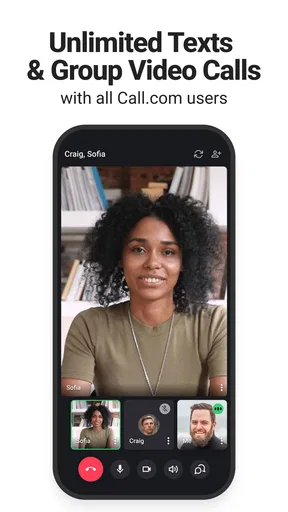
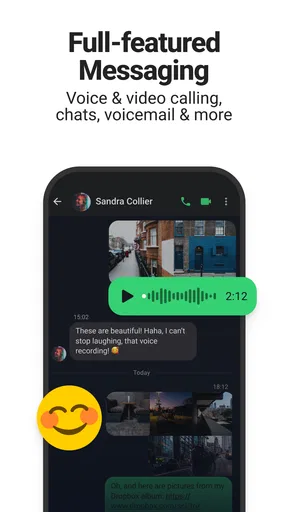
- Text Messaging: Not only can you make and receive calls, but you can also send and receive texts. This is a game-changer if you need a discreet way to communicate.
- Voicemail: Just like your primary number, this app offers a voicemail feature. You can customize your greeting, and the app even transcribes your voicemails, which is super handy.
- Call Recording: Need to record an important call? The app has you covered. It's a great feature for business calls or interviews.
- Customizable Ringtones: Personalize your experience by choosing from a variety of ringtones for your second number.
Performance and Usability
In terms of performance, the app runs smoothly. I didn’t encounter any lags or crashes during my trial. The call quality was comparable to my regular phone service, which was a pleasant surprise. Texts were delivered promptly, and the app's notifications were reliable, ensuring I never missed a call or message.
Usability-wise, even someone who's not tech-savvy will find Call.com easy to navigate. The app guides you through each step, and the settings are intuitive, allowing for a seamless user experience.
Why Consider Using Call.com?
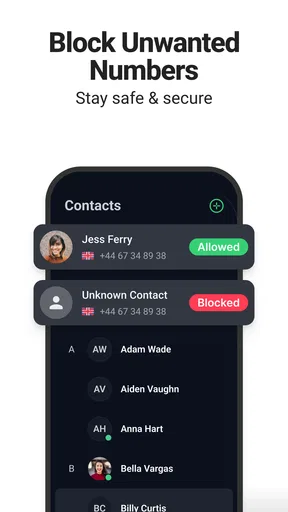
So, why should you consider using this app? For starters, it offers a level of privacy that your regular number might not provide. Whether you're dealing with clients or online acquaintances, keeping your personal number private can be crucial.
Moreover, if you're managing a small business, having a second number helps separate work from personal life. It's a convenient way to keep things organized without the hassle of carrying two phones around.
Lastly, the app's pricing is competitive, offering various subscription plans that cater to different needs. Whether you need the number for a short-term project or long-term use, there's a plan that fits.
Final Thoughts
Wrapping up, the Call.com: 2nd Phone Number App is a solid choice for anyone in need of an additional phone number. Its user-friendly interface, reliable performance, and array of features make it a noteworthy tool in today’s digital age. Whether for privacy, business, or convenience, this app checks all the boxes.
So, if you've been on the fence about getting a second number, give Call.com a shot. It might just be the solution you didn’t know you needed!
Pros
- Easy setup process for a new number.
- Affordable plans with flexible options.
- Voicemail transcription feature is handy.
- Offers call recording for convenience.
- Supports international calls at low rates.
Cons
- Limited free trial minutes available.
- Ads can be intrusive in the free version.
- Some features require premium subscription.
- Occasional call quality issues reported.
- Interface could be more intuitive.
FAQs for Call.com: 2nd Phone Number App
What is Call.com: 2nd Phone Number App used for?
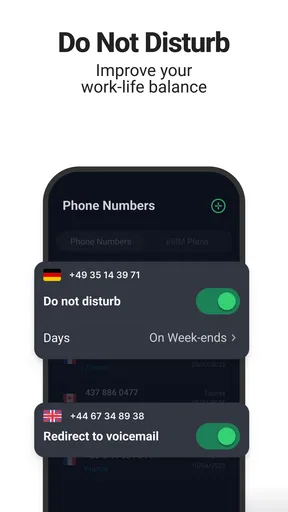
Call.com is an app designed to provide users with a second phone number. This is particularly useful for maintaining privacy, managing business communications, or keeping personal and work calls separate. The app offers features like call forwarding, voicemail, and text messaging, making it a versatile tool for anyone needing multiple lines.
Is Call.com available for both Android and iOS devices?
Yes, Call.com is available for download on both Android and iOS platforms. Users can find the app in the Google Play Store and the Apple App Store, ensuring compatibility with a wide range of smartphones and tablets. This cross-platform availability makes it convenient for users who might switch devices frequently.
Are there any subscription fees or in-app purchases?
Call.com operates on a freemium model, meaning the basic app is free to download, but there may be subscription fees for premium features. These might include additional phone numbers, international calling, or enhanced call management tools. Users should check the app's pricing details to understand the costs involved.
How secure is the Call.com app in terms of privacy?
The app prioritizes user privacy by allowing calls and texts to be made without revealing the primary phone number. It employs encryption and other security measures to protect user data. However, it’s always recommended to review the app’s privacy policy to understand how your information is handled and stored.
Can I use the Call.com app internationally?
Yes, Call.com supports international usage, allowing users to make and receive calls globally. This feature is particularly beneficial for frequent travelers or those with international clients. However, users should verify if there are any additional charges for international calls to avoid unexpected fees.


